We Got JPEG-2 Before GTA 6: Why JPEG XL (.jxl) is the Upgrade the Web Actually Needed
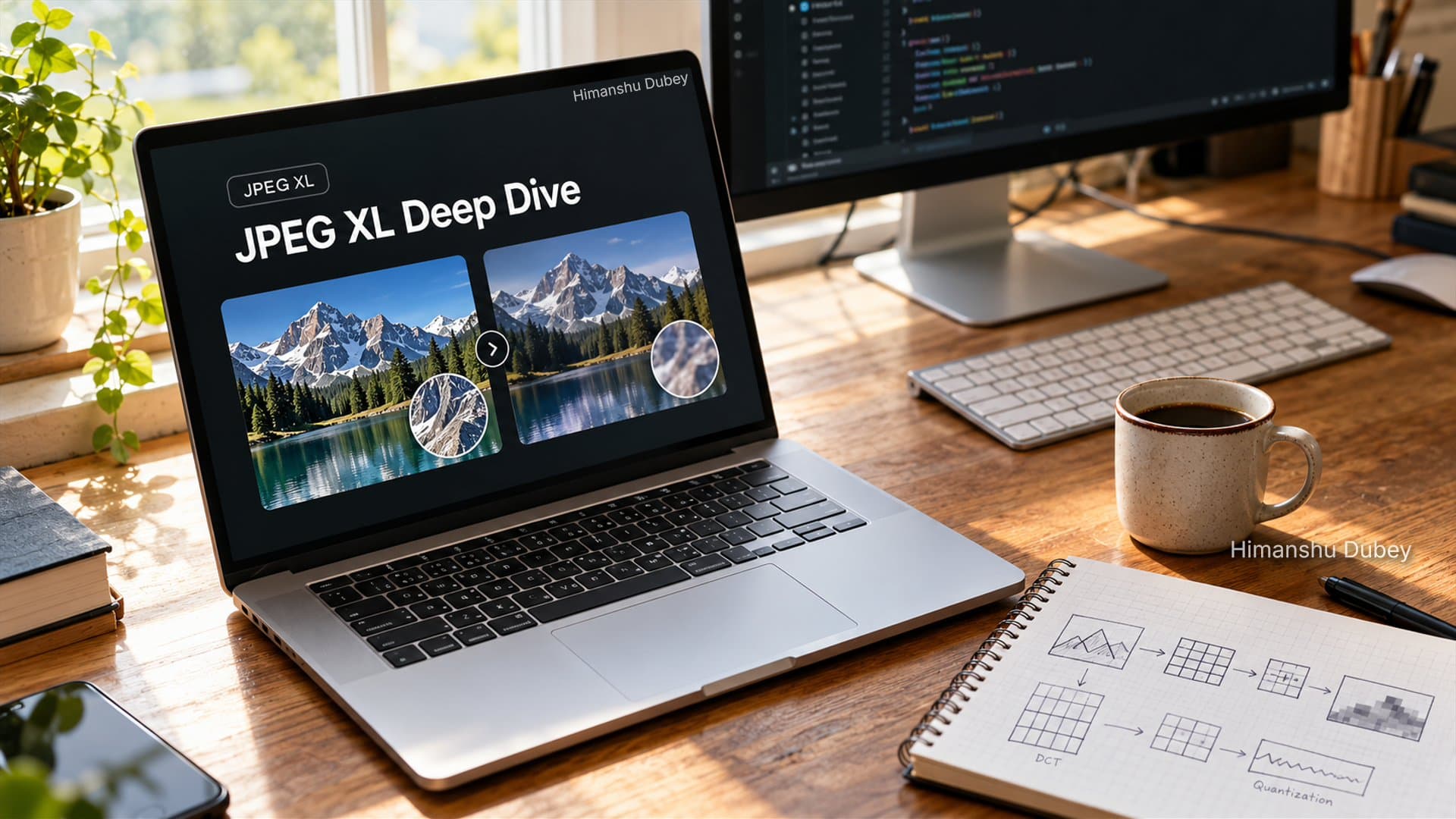
TL;DR: JPEG XL (.jxl) is finally landing in production. Unlike WebP and AVIF, which broke desktop workflows and caused major headaches, JPEG XL offers native OS compatibility, packs HDR and transparency support, and can shrink your existing legacy JPEGs by 20% losslessly with zero generational loss.
We have all experienced this frustration: you find an image on the web, click Save Image As, and your desktop photo viewer refuses to open the resulting .webp file.
For the last decade, web image formats felt like a bad compromise between site speed and everyday operating system compatibility. We relied on the classic JPEG standard from 1992 for over thirty years. When newer formats like WebP showed up, browsers pushed them hard, but desktop platforms lagged behind. As a result, users got stuck with images they could not easily preview, share, or drop into photo editors.
JPEG XL (.jxl) solves this friction. It is a modern format engineered to replace legacy JPEG, PNG, and WebP together, without repeating the desktop adoption mistakes of the past decade.
Here is a practical breakdown of how JPEG XL works, how it stacks up against AVIF, and how you can convert your existing media library today without losing a single pixel.
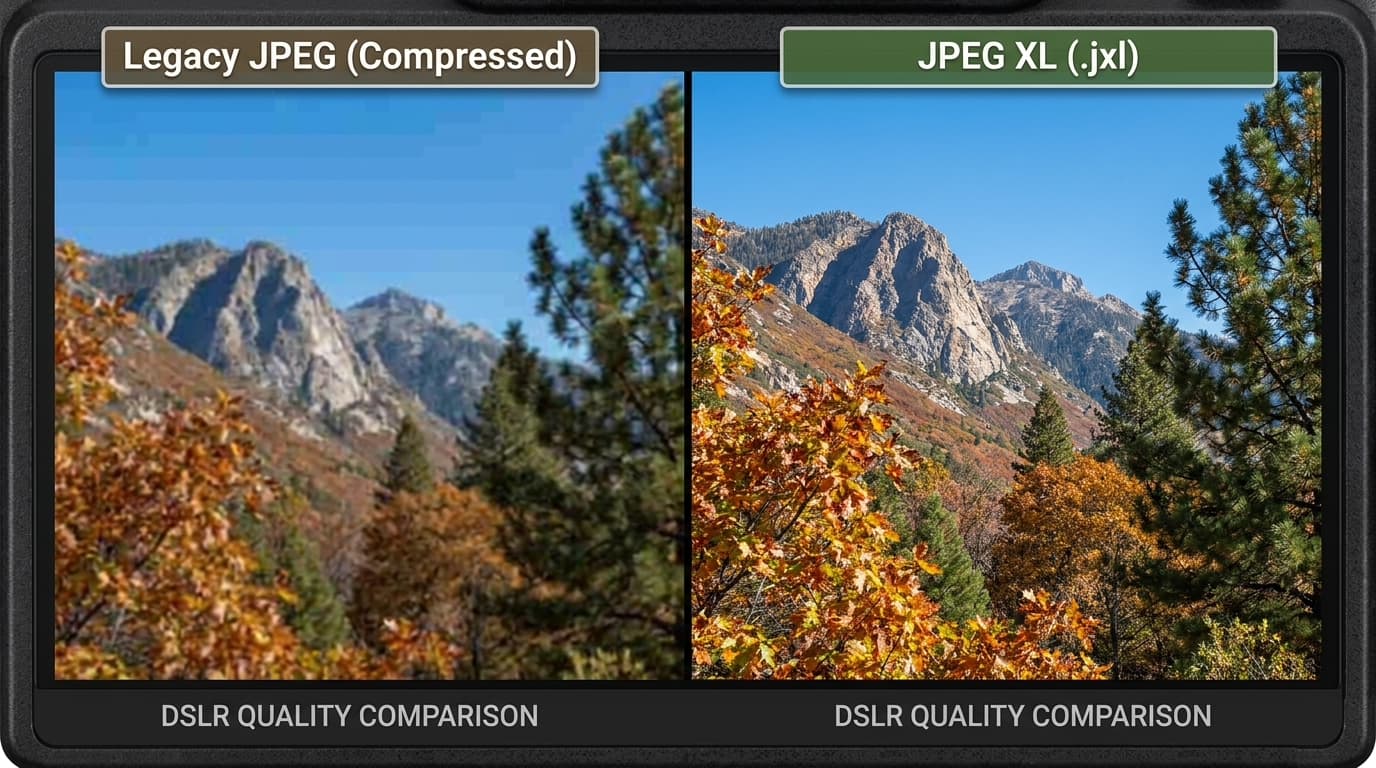 JPEG XL Compression Detail Comparison
1. The Adoption Trap: Why JPEG XL is Built Differently
When Google released WebP, web developers adopted it quickly to save bandwidth. Desktop operating systems, however, ignored it for years. Users who downloaded images from the web frequently found that their default viewer or graphic software failed to open them.
JPEG XL avoids this rollout problem by shipping operating system integration alongside browser support:
- Browser Engines: Google Chrome enabled default support in Chrome 155, Firefox added it in Firefox 158 with the memory-safe
jxl-rsRust decoder, and Apple Safari has supported it natively since Safari 17. - Operating Systems: macOS and iOS support JPEG XL out of the box. For Windows, Microsoft published the official JPEG XL Image Extension in the Microsoft Store. Installing it enables instant thumbnail generation in File Explorer and native viewing inside Windows Photos.
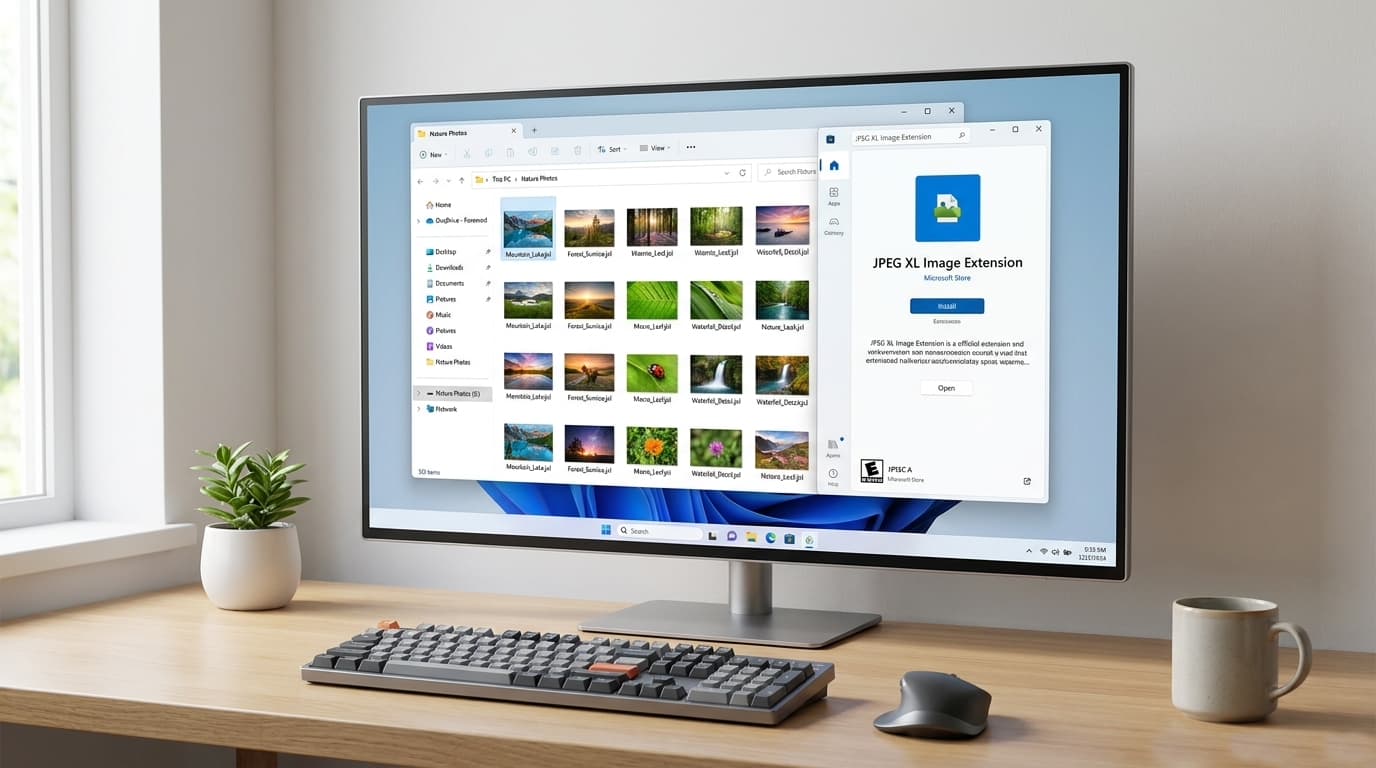 Windows JPEG XL Extension Preview
2. Technical Capabilities: What Makes JPEG XL Unique?
Beyond smaller file sizes, JPEG XL brings architectural improvements tailored specifically to still images.
Lossless Transcoding from Legacy JPEG
This is one of the most useful features of the specification: you can convert existing JPEG files into JPEG XL without recompression loss.
- Converting a standard JPEG to
.jxlreduces file size by roughly 20% while preserving the exact DCT coefficients. - When you need the original JPEG for older tools, you can restore the identical bitstream without any generation loss.
- For web servers, cloud storage, and backup systems, this allows you to cut storage bills immediately without altering your photo assets.
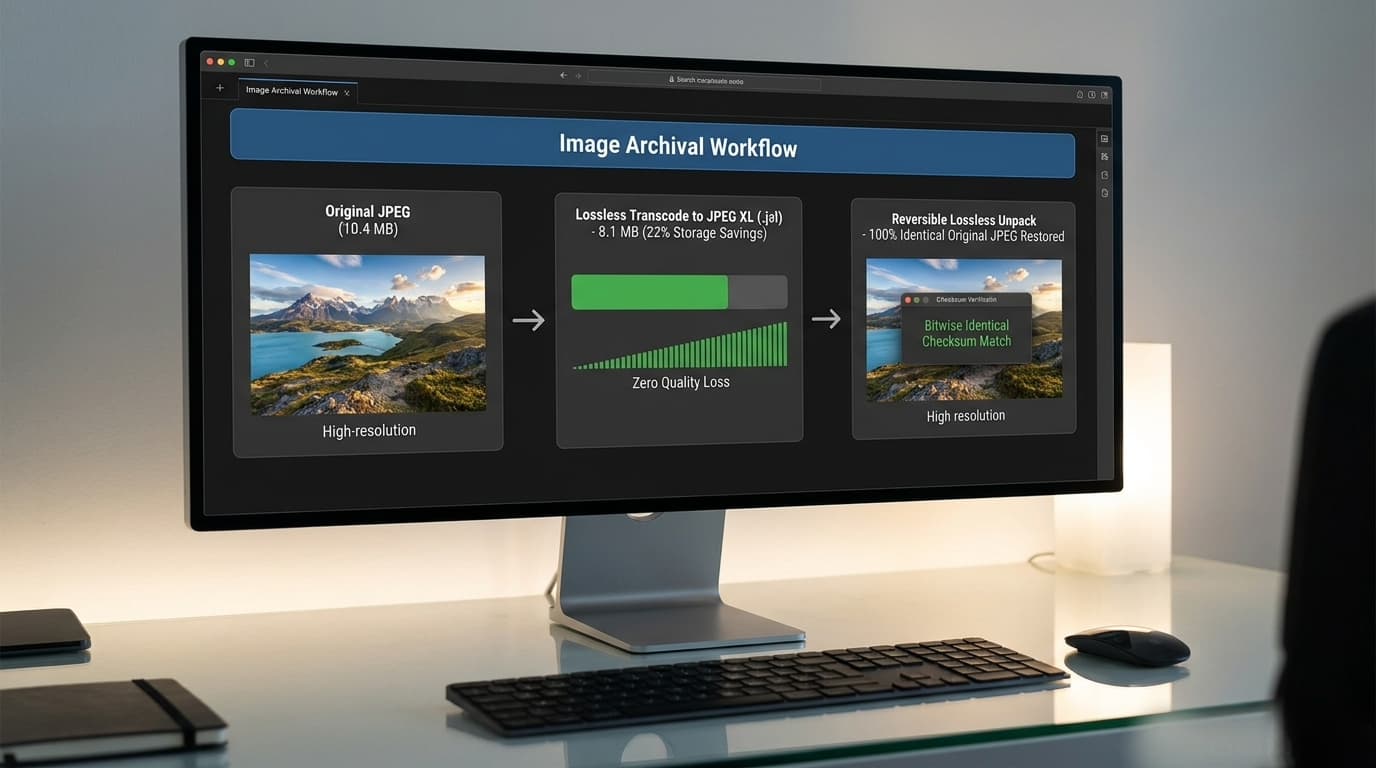 Lossless Transcoding Archive
Breaking the 8-Bit Color Barrier and Supporting HDR
Legacy JPEG is locked to 8 bits per channel (capped at 256 color levels per RGB channel, or ~16.7 million colors). This limitation creates visible banding in gradients and sky shots.
JPEG XL supports high bit depths up to 32-bit float, giving you wide color gamuts and true High Dynamic Range (HDR) reproduction without visual artifacts.
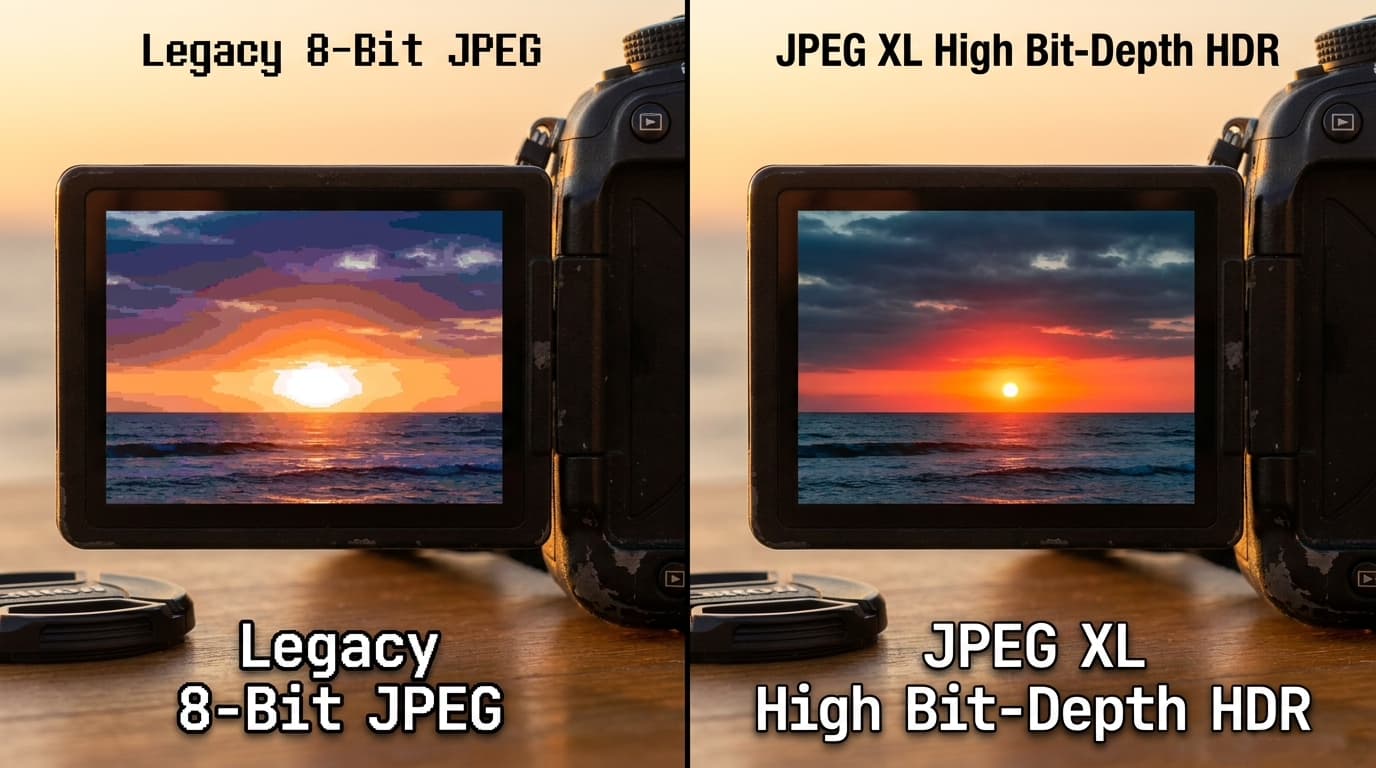 HDR Color Depth Comparison
Native Alpha Transparency and Animations
Unlike older JPEGs, JPEG XL handles transparent backgrounds out of the box. It also supports lossless graphics (matching PNG) and multi-frame animations (replacing bulky GIFs and animated WebP files).
Region of Interest (RoI) Encoding
With Region of Interest encoding, you can prioritize visual fidelity on focal subjects like faces or foreground products. The encoder preserves crisp detail on the subject while compressing background areas more aggressively, keeping file sizes small without noticeable degradation.
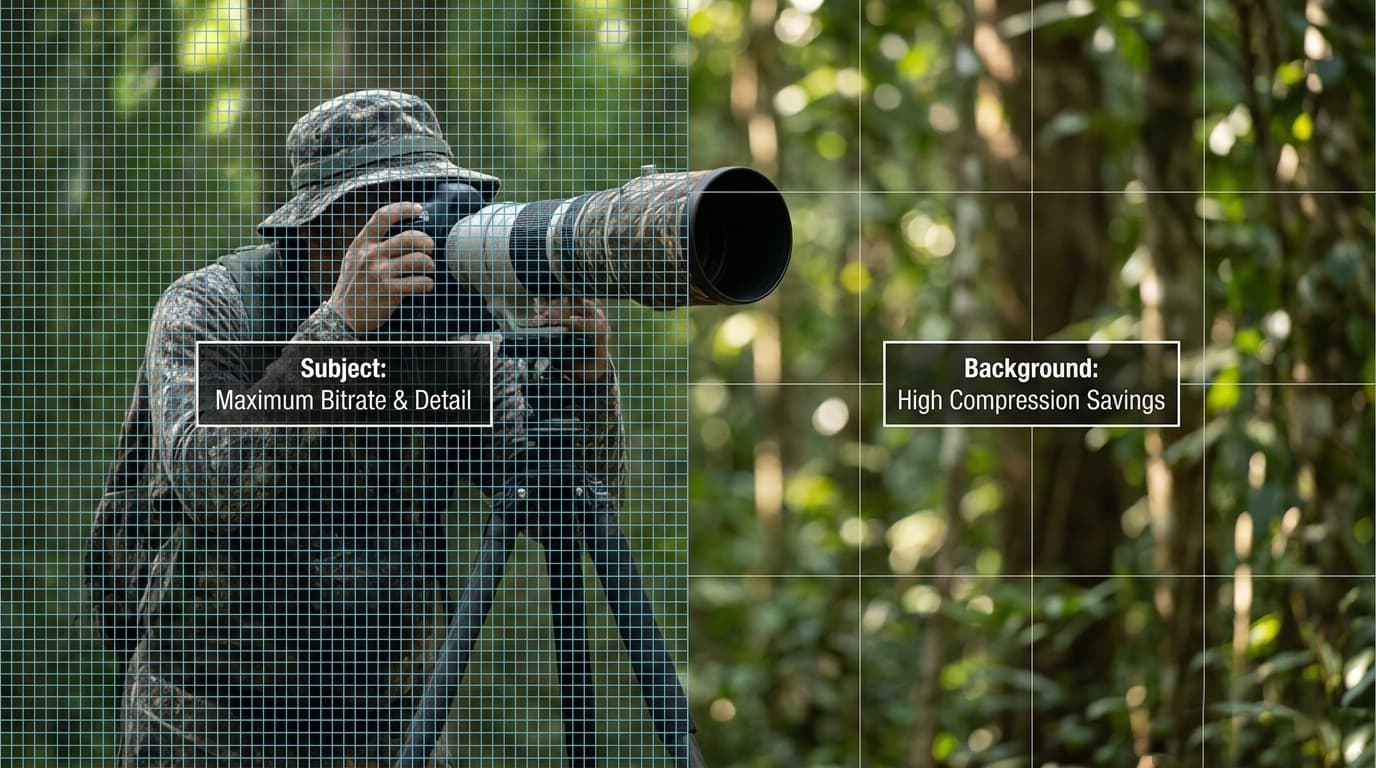 JPEG XL Region of Interest Sample
Tiling and Multi-Threaded Parallel Decoding
JPEG XL divides images into independent sub-regions called tiles:
- Targeted Rendering: Browsers and viewers can decode and show specific zoomed-in sections of massive images without loading the entire file into RAM.
- Multi-Core Scaling: Because each tile encodes independently, modern multi-core CPUs decode multiple tiles across worker threads in parallel, making page rendering noticeably faster.
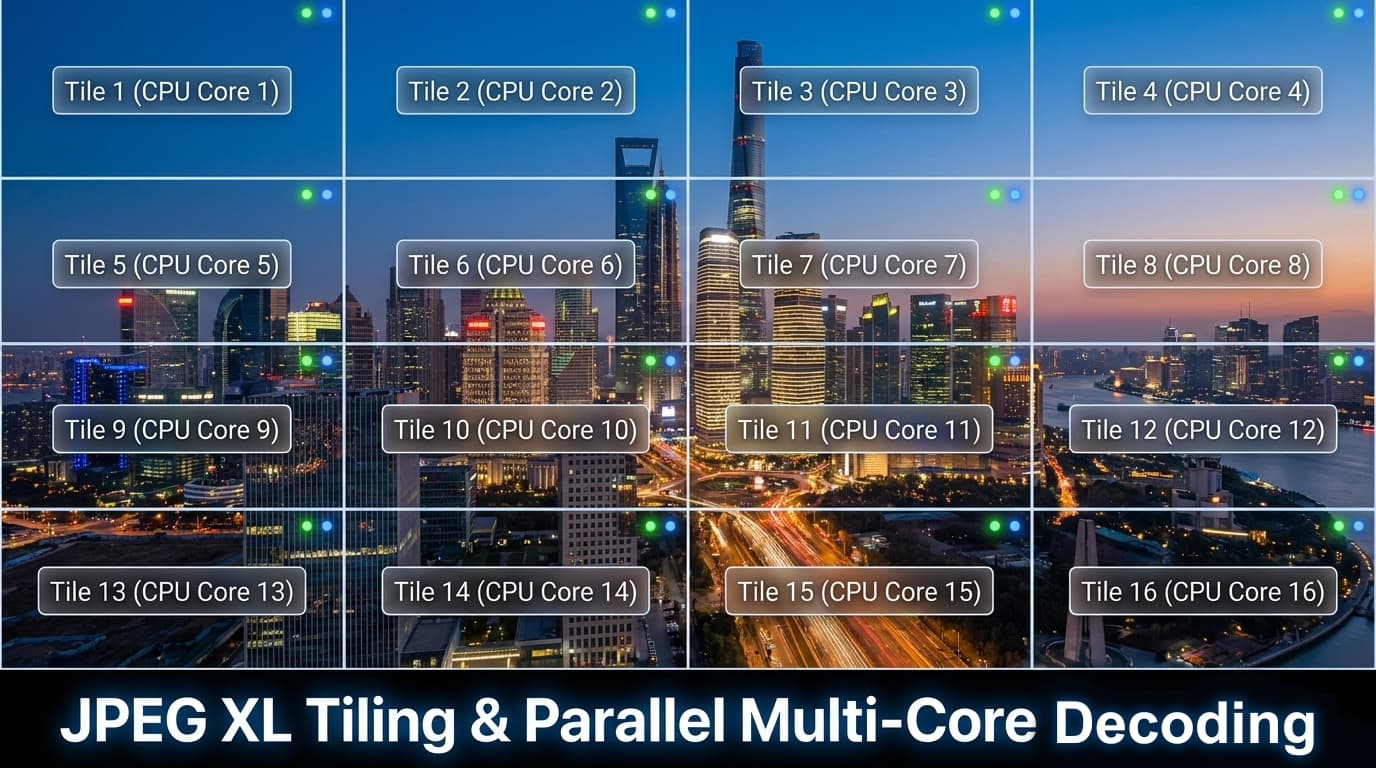 JPEG XL Tiling and Multi-Core Decoding
3. JPEG XL vs. AVIF: Realistic Head-to-Head
AVIF is often positioned as the primary alternative to JPEG XL. Both are massive improvements over legacy JPEG, but they reflect fundamentally different engineering philosophies:
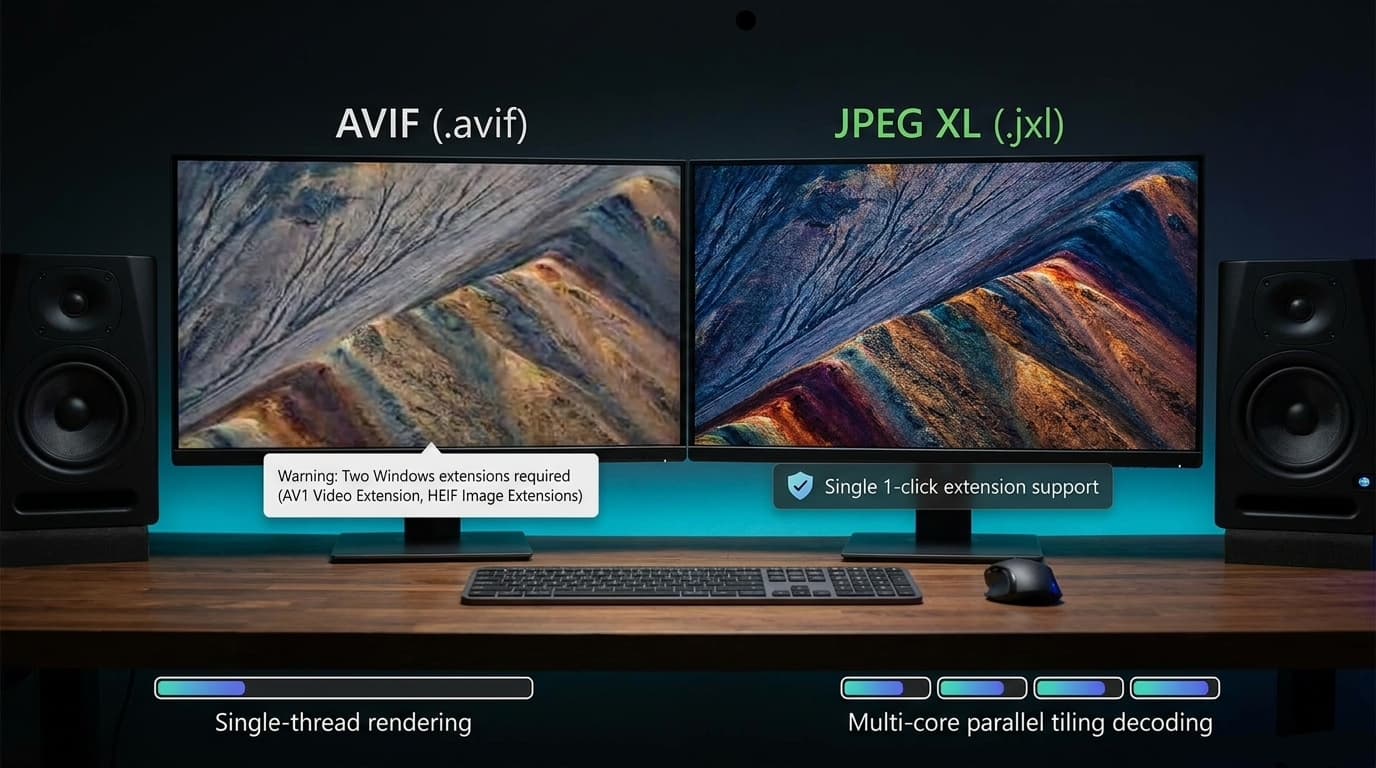 JPEG XL vs AVIF Realistic Head-to-Head
Video-Derived Codec vs. Dedicated Still-Image Engine
- AVIF: Derived from the AV1 video codec. Video encoders excel at compressing video streams, and AVIF can achieve slightly smaller files on very low-fidelity thumbnails. However, video codecs require significant CPU power to encode, discard fine grain, and struggle with high-resolution still photography.
- JPEG XL: Designed specifically for photography and web graphics. It supports lossless JPEG transcoding, progressive rendering, and fast multi-threaded decoding that video-based codecs do not offer.
OS Compatibility and Ecosystem Friction
- AVIF on Windows: Previewing AVIF files in Windows Explorer often requires two separate store packages: the HEIF Image Extension and the AV1 Video Extension.
- JPEG XL on Windows: Needs a single package (JPEG XL Image Extension). On macOS and iOS, support is completely native.
4. Format Comparison Matrix
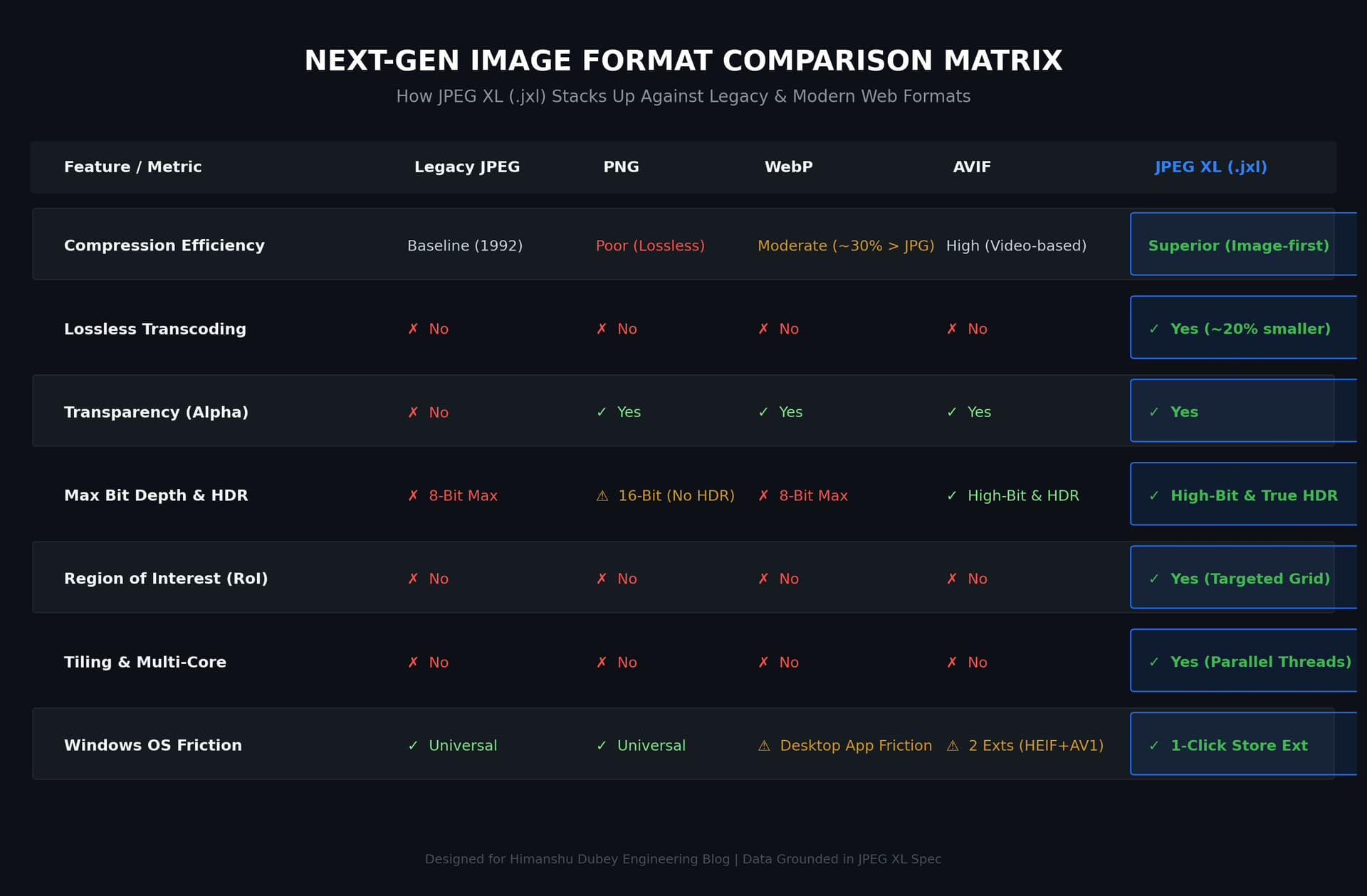 JPEG XL Format Comparison Matrix
| Feature / Metric | Legacy JPEG | PNG | WebP | AVIF | JPEG XL (.jxl) | | :--- | :--- | :--- | :--- | :--- | :--- | | Compression Quality | Baseline (1992 spec) | Poor (Lossless only) | Good (~25-30% saving) | Excellent | Superior (Best photographic fidelity) | | Lossless Transcoding | No | No | No | No | Yes (Shrinks JPEGs ~20% bit-exact) | | Alpha Transparency | No | Yes | Yes | Yes | Yes | | Bit Depth & HDR | 8-bit max | 8/16-bit (No HDR spec) | 8-bit max | 10/12-bit HDR | Up to 32-bit float & True HDR | | Region of Interest (RoI)| No | No | No | No | Yes | | Tiling & Parallel Decode| No | No | No | No | Yes (Multi-core accelerated) | | Desktop Friction | None | None | Third-party viewers needed | Requires 2 Windows packages | Native Apple OS + 1 Windows Store extension |
5. Practical Guide: Converting JPEGs to .jxl
You can compress your existing JPEG assets by roughly 20% today without re-encoding quality loss using the official libjxl command-line utility.
Step 1: Install libjxl
- macOS (Homebrew):
brew install jpeg-xl - Linux (Debian / Ubuntu):
sudo apt install libjxl-tools - Windows (Scoop):
scoop install libjxl
Step 2: Losslessly Transcode a Single File
Run cjxl on your source image:
cjxl photo.jpg photo.jxl
cjxl detects that the input is a JPEG file and automatically switches to lossless coefficient re-packing.
Step 3: Revert Back to the Original JPEG
If you ever need the exact original JPEG file for legacy software:
djxl photo.jxl restored.jpg
The resulting restored.jpg matches your original byte-for-byte.
Step 4: Batch Convert a Folder
To convert an entire folder of JPEGs in one command:
-
macOS / Linux (Bash):
for f in *.jpg; do cjxl "$f" "${f%.jpg}.jxl"; done -
Windows (PowerShell):
Get-ChildItem *.jpg | ForEach-Object { cjxl $_.FullName ($_.BaseName + ".jxl") }
6. Official Resources and Further Reading
For developers and engineers who want to explore the standard further:
- Official JPEG XL Standards Committee (JPEG.org): The definitive home of the ISO/IEC 18181 standard, whitepapers, and specifications.
- JPEG XL Community Hub (jpegxl.info): Live browser adoption trackers, software decoder compatibility lists, and ecosystem benchmarks.
- Official libjxl Repository (GitHub): Reference implementation source code, issues, and build instructions for
cjxlanddjxl. - JPEG XL on Wikipedia: Detailed background on the standardization timeline and technical milestones.
7. The Verdict
Good file formats do not just compress bytes; they work reliably across browsers, operating systems, and developer workflows.
By offering bit-exact lossless conversion for existing JPEGs, native multi-threading, and proper HDR support, JPEG XL solves the biggest pain points that held WebP and AVIF back. It gives web engineers and infrastructure teams a practical path to reduce storage and bandwidth right now without breaking photo archives or user expectations.